
SESTEK case study: the architecture that connects a bilingual Webflow site to Dynamics 365
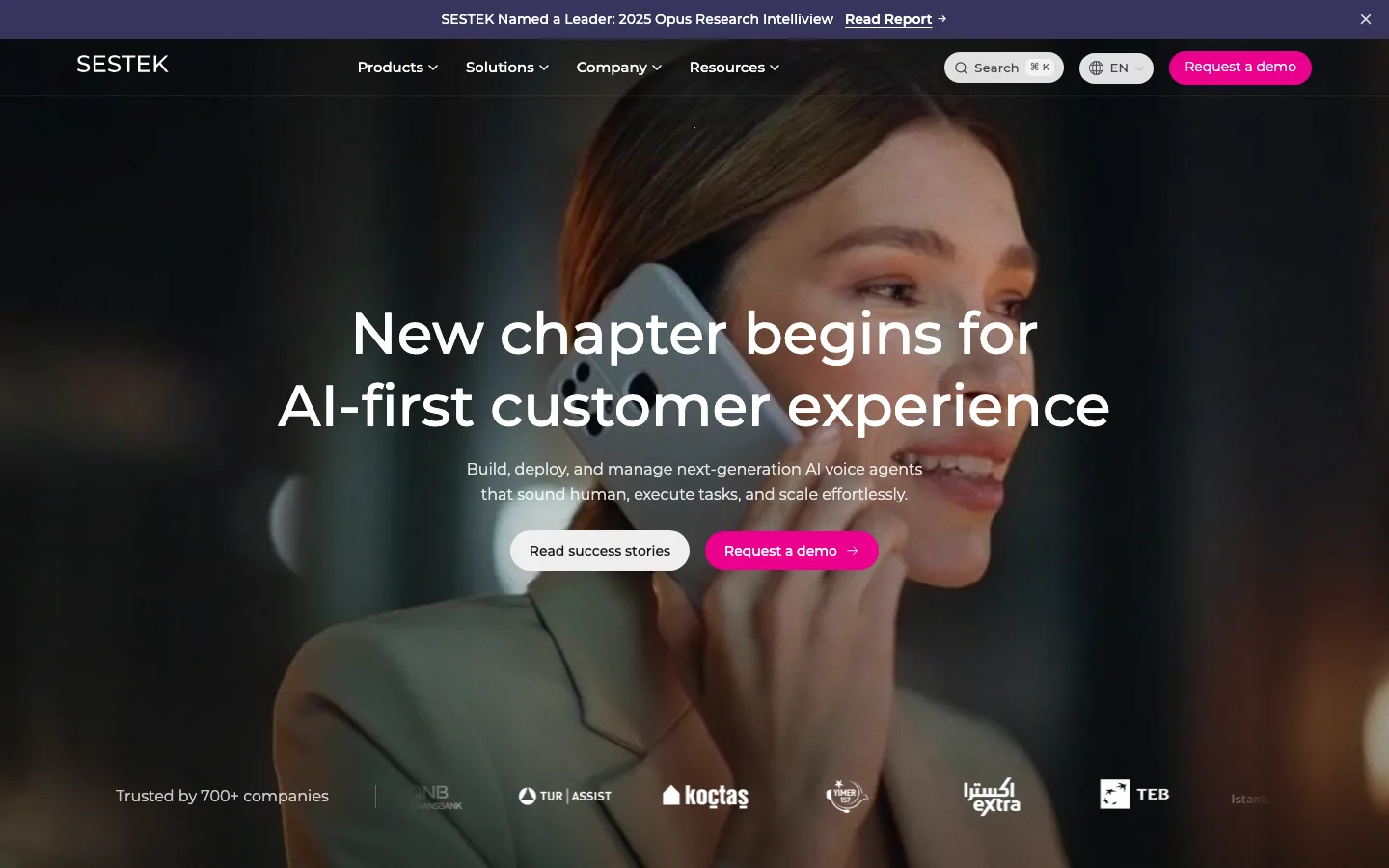
On SESTEK's Webflow site, forms do not go from the browser straight to the CRM; they are sent to a Webflow Cloud app published on the site's own domain³ ¹⁴. The app is the side that talks to Microsoft Dynamics 365; the browser never talks to the Microsoft identity service or to Dynamics directly³. SESTEK is a B2B software company that builds AI-powered contact center solutions and describes itself as a conversational AI brand¹ ².
Project scope and who did what
In this project we built the Webflow site, the forms' React code components, the Webflow Cloud app that receives the form data and the integration architecture between them, as part of our Webflow development service. The lead fields and option definitions on the Dynamics side belong to SESTEK's CRM structure; we designed the integration to fit that structure. In the 'we'll call you' demo, the call is made by SESTEK's own product, Outbound Manager⁸. Our job was to connect that product to the site without exposing credentials to the browser⁸.
Starting conditions: a corporate B2B site, two languages, an existing CRM structure
The site was to be published in Turkish and English; the TR demo page carries Turkish labels and a data processing consent text¹. The form types were a demo request, a report download, a newsletter and the 'we'll call you' demo² ¹² ²² ¹⁸. Two conditions shaped the design from the start. First, the secret for accessing the CRM could not be in any file sent to the browser³. Second, the marketing team had to be able to manage the forms from the Designer without going to a developer¹⁷. The sections below describe how these two conditions were turned into the architecture.
Why a server layer on Webflow Cloud instead of Zapier?
The short answer: because credentials could not reach the browser³ and validation was needed before a record was created, we built our own server layer instead of a ready-made connector.
Where a ready-made connector falls short
Webflow's own Dynamics 365 guide presents Zapier as the shortest path from a form submission to a lead¹². For a single-form flow that needs no extra checks, that path is enough. The same guide recommends writing code when you need validation before a record is created, custom deduplication or writes to several systems¹². The pattern it suggests is to catch the submission at your own endpoint, process it and then write to Dataverse¹². SESTEK's need matched the first condition: every submission had to pass bot verification and a field check before a lead was opened. The design rationale in our project specification leads to the same place: the server-to-server flow we chose requires a client secret, and that secret cannot be in any file sent to the browser; that is why the token step moved to the server³.
Webflow Cloud: an app published under the site's own path
Webflow Cloud is a deployment and hosting environment for web apps¹³. Every environment connected to a site is given a unique path under the Webflow domain¹⁴; at SESTEK this app carries the demo pages and the API services¹⁷. Webflow Cloud deploys Next.js apps with the OpenNext Cloudflare adapter¹⁵; the adapter moves the app to Cloudflare Workers¹⁶. The code lives in a GitHub repository, and Webflow Cloud redeploys as the repository changes¹³. In the end we did not set up a separate server or a separate domain. Because the app is attached to the same domain as the site, from the browser's point of view the form request goes to the site itself³. This is how we differ from approaches that put a separate Node.js middleware in front of the form.
The path of the form data: five steps from a Webflow page to Dynamics 365
In the architecture we built, a form submission reaches Dynamics 365 in five steps. Each step does one job; at no step does the browser talk to the CRM³. 1. The visitor fills in the React form on the Webflow page²⁰. 2. Invisible bot verification produces a token; the verification script loads when the form comes close to view or when the visitor focuses on the form⁷. 3. The form goes to the Cloud app on the same domain, carrying its data and the token together³. 4. The Cloud app validates the token and filters the fields with an allow list; both checks are part of the server-side design⁶ ³. 5. It authenticates server to server and writes the lead to Dynamics 365¹².
In Dynamics 365, a lead is a potential sales opportunity that is converted into an account, a contact or an opportunity once qualified⁹. Every lead record coming from a form is opened according to the fields in SESTEK's CRM structure. To create a record with the Web API, the valid entity set name and the property names and types must be known in advance¹⁰. For server-to-server authentication, Microsoft requires an application ID, a directory ID and a client secret¹¹. In the design these values are not written to the repository³. The same proxy pattern is in the 'we'll call you' demo. The visitor leaves their name and phone number, and SESTEK's Knovvu Outbound Manager product calls them⁸. The browser only sees our layer⁸. This form sends the data to SESTEK, not to Dynamics. Roicool's statement: leads from SESTEK's forms are written to Dynamics 365 in production³³. This is our statement; as the server code is not public, it cannot be verified from outside.
React code component forms: managed from the Designer, isolated inside Shadow DOM
We built the forms as React code components instead of native Webflow forms⁴. A code component is a React component built to be used on Webflow sites¹⁹; components are bundled with DevLink and published as a shared library¹⁹. The division of work is clear: the marketing team drags the component onto the canvas and sets it up from the right panel¹⁷, and the developer maintains a single code base.
Configuration through props: one component, several variants
Four React form components were placed on the pages: the demo request, the newsletter, the report download and the 'we'll call you' demo⁴. Differences in appearance are handled with variants, not separate copies. The newsletter component has Subscribe and Demo types⁴, and the demo form has a step-by-step Steps variant⁴. The form on the EN demo page asks for first name, last name, company and business email²¹; on the TR page the same form appears with Turkish labels¹. The report form is shorter, and the report is given right after the details are entered²². The phone field has a country code picker and validation by country⁴.
Shadow DOM isolation and SSR
Each code component sits in its own Shadow DOM container with a separate React root; this isolation keeps the component from clashing with the page and with other components²³. Server-side rendering (SSR) provides the first HTML, and interaction happens in the browser²³. We reviewed the components for layout shift, render-blocking work and unnecessary network load⁷. We also saw and documented the cost of the isolation: the components are drawn inside Shadow DOM⁴. Code that listens for events at the document level and compares the target with a node inside the component breaks, and page-level queries cannot see inside the component; this is also why the custom country panel in the phone field broke⁴. The rule we took from it: the component's behaviour is carried inside the component.
Why a library update does not go live by itself
An update made in the code component library does not reach the live site by itself; it needs an update approval in the Designer¹⁷. We use this as a controlled release: a component change does not reach visitors until it is approved on the site side.
Layered form protection: from bot verification to the field allow list
No client-side check is a security boundary; checks in the browser can be bypassed, and the real check is on the server⁴. The Turnstile widget in the browser does not protect the form on its own either; the token has to be validated on the server⁶. That is why we designed the form protection in layers. The layer visible from outside on the forms is bot verification. Cloudflare Turnstile steps in without showing the visitor a CAPTCHA⁵; no verification box is drawn on the lead forms⁴. The server-side layers are part of the design. As the server code is not public, we list them not as observed facts but as the design layers of the architecture: - Server-side token validation: tokens are single use, and each token is validated only once⁶. - A honeypot (a hidden trap field)³. - An origin check³. - Rate limiting; in the design it does not replace Turnstile, the two stand together³. - A business email filter: free providers are blocked on the B2B forms and allowed on the newsletter; disposable addresses are blocked on every form⁴. - A field allow list: in the design, only the fields on the list are copied to the CRM³. - A logging rule: by design, the visitor's personal data is not written to the logs³.
We deliberately do not count the business email filter as a security layer. As our design document puts it, it is a quality filter: someone who takes their own domain gets past the list, and rate limiting and Turnstile are needed against abuse³. This is also why we allow free addresses on the newsletter: blocking gmail at the very top of the funnel loses subscribers⁴.
A bilingual CMS: TR/EN collection sets and translated slugs
SESTEK's Turkish version is in the /tr subdirectory; most collection folders and item slugs were translated into Turkish²⁷. The language pairs are declared with hreflang in Webflow's automatic sitemap²⁶. We built this structure on Webflow Localization.
How folder and item slugs are localized
In Webflow Localization, a collection item created in the primary language exists in every language²⁵. Translating collection slugs by language is available on the Advanced and Enterprise Localize plans²⁵. At SESTEK the pattern is clear: the Turkish pair of /success-stories/axa-insurance is /tr/basari-oykuleri/axa-sigorta²⁷; that of /industries/bpo is /tr/sektorler/outsource-cagri-merkezi²⁷. The TR slugs of blog posts are in Turkish too²⁷. Translation is not the right decision everywhere. On author pages the slug is the person's name, so it stayed the same in both languages²⁷; on comparison pages the competitor product's name was kept fixed as well²⁷. Readers search for a person or a product by name; translating the name means deleting the searched word from the URL.
Content relations shown in the templates
The collections are shown linked to each other in the templates. A blog post carries its category tag and author card³¹; the author page has a post list headed 'Articles by'³⁰; the category page lists that category's posts together with a category picker²⁹. The success story template shows the industry, company size, problem area and SESTEK product used²⁸; other success stories are listed at the bottom of the page²⁸. With the automatic sitemap on, Webflow adds hreflang tags for all static and dynamic pages²⁶ and sets the page's language code in each language²⁶. The table below shows how the URLs in the sitemap are spread across the sets: a structure count dated 17.09.2026, not a performance measure. The sitemap lists 500 URLs, 250 in EN and 250 in TR²⁷.
| Set | EN folder | TR folder | URLs (EN / TR) | Slug localization |
|---|---|---|---|---|
| Blog | blog | blog | 89 / 89 | Folder the same, item slugs in Turkish |
| Success stories | success-stories | basari-oykuleri | 27 / 27 | Folder translated, items partly |
| Authors | authors | yazarlar | 21 / 21 | Folder translated, person's name fixed |
| Webinars | webinars | webinarlar | 15 / 15 | Folder translated, item slugs in Turkish |
| Legal | legal | yasal | 12 / 12 | Folder and items translated |
| Podcasts | podcasts | podcastler | 11 / 11 | Folder and items translated |
| Comparisons | compares | karsilastirmalar | 10 / 10 | Folder translated, product name fixed |
| Products | products | urunler | 8 / 8 | Folder translated, items mostly the same |
| Blog categories | blog-categories | blog-kategorileri | 8 / 8 | Folder translated, items the same |
| Solutions | solutions | cozumler | 6 / 6 | Folder and items translated |
| Industries | industries | sektorler | 6 / 6 | Folder and items translated |
| CX Insights | cx-insights | cx-insights | 6 / 6 | Folder the same, item slugs in Turkish |
| Careers | careers | kariyer | 6 / 6 | Folder translated, items the same |
| Calculators | calculators | hesaplayicilar | 4 / 4 | Folder translated, items mostly the same |
| Static pages | — | — | 21 / 21 | Page by page (e.g. about-us → hakkimizda) |
Three delivery channels: a CDN library, code components and the Cloud app
Delivery runs through three separate channels, and the channels do not mix: the site library loaded over a CDN, the code components that go to the Designer with DevLink, and the Webflow Cloud app that receives the forms¹⁷. The Cloud app was later moved to a separate repository; the endpoint that receives the forms was written there³². The site library is CDN-first; it needs no build step²⁴. The project's principle is no render-blocking scripts²⁴. The code components sit in a separate package as React components that can be exported to the Designer with DevLink²⁰. The Cloud app pages on the site's domain also hold product demos: on the Turkish demo pages, visitors can try the demos in the browser without signing up¹⁸. On the Cloud app pages the site's look had to be kept. The navbar came from Webflow with a DevLink export²⁴. The DevLink footer was not used because it rendered broken due to a collection list and grid gaps; we wrote the footer separately and fetched its CMS columns on the server side¹⁷.
The lesson from this case: the integration decision comes before the form
The first lesson: a form that will connect to a CRM should not be designed before it is clear where the credentials will live. At SESTEK, the rule that the secret could not reach the browser³ set the form's destination from the start. The form would be sent not to the CRM but to the server layer; bot verification, the field check and authorization fell to that layer too. The second lesson: once the component the marketing team manages from the Designer is separated from the server layer the developer maintains, the two sides do not wait for each other. A library update going live with approval in the Designer¹⁷ is part of this separation. A change in appearance does not touch the server, and a server change does not require republishing the component. The third lesson: in a bilingual CMS, the slug decision is made by item type. Names of people and products stay fixed in both languages²⁷, while content and folder names are translated²⁷. There is ongoing work too: adding the contact form to the page⁴ and a bridge for native Webflow forms are in progress. The bridge design keeps Webflow's own submission and adds the CRM submission as a second, parallel channel³².
Sources
- Demo İsteyin | SESTEK Yapay Zeka Destekli Çağrı Merkezi Çözümleri
- Product Demos | Sestek
- CRM Lead API (Roicool internal document, not published)
- Durum ve Yapılacaklar (Roicool internal document, not published)
- Cloudflare Turnstile · Cloudflare docs
- Validate the token · Cloudflare Turnstile docs
- Sestek Webflow Code Components (Roicool internal document, not published)
- Outbound Call Demo
- Lead table/entity reference (Microsoft Dynamics 365) | Microsoft Learn
- Create a table row using the Web API | Microsoft Learn
- Use single-tenant server-to-server authentication (Microsoft Dataverse) | Microsoft Learn
- Integrate Microsoft Dynamics 365 CRM with Webflow | Quick connect guide
- Webflow Cloud | Webflow Developer Documentation
- Environments | Webflow Developer Documentation
- Optimizing your app for Webflow Cloud | Webflow Developer Documentation
- Cloudflare - OpenNext
- Webflow Apps — Code Components & Cloud App Rehberi (Roicool internal document, not published)
- Ürün Demoları | Sestek
- Code components | Webflow Developer Documentation
- sestek-webflow-components package.json (Roicool internal document, not published)
- Request a Demo | SESTEK AI Contact Center Solutions
- SESTEK Named Leader in Opus Research 2025 CI Report
- Component architecture | Webflow Developer Documentation
- Sestek (Roicool internal document, not published)
- Localize Collection content – Webflow Help Center
- Localized SEO and locale routing – Webflow Help Center
- sestek.com sitemap.xml (live, 17.09.2026)
- Ajman Bank success story (SESTEK)
- Agentic AI blog category (SESTEK)
- Author page (SESTEK)
- Top Strategic Predictions for 2022 and Beyond (SESTEK blog)
- CRM Form Entegrasyonu (Roicool internal document, not published)
- SESTEK formlarının Dynamics 365 entegrasyonu (Roicool internal document, not published)