Verify an agency's partnership in four steps
- Ask the agency for its partner profile address on webflow.com
- Check whether the 'Certified Partner' label appears on the profile
- Look at the 'Partner since' date and the location information
- Confirm it by searching for the agency in Webflow's certified partner directory
This check takes two minutes and answers a single question: does what the agency tells you match the platform's record? Do not ask for a screenshot, ask for the live profile address; the profile sits on Webflow's own domain and nobody can change a date there. Apply the same check to us as well.
The fourth step is the one most often skipped: even if the profile address is correct, the agency should come up when you search the directory. If it does not, either the status is not current or the profile belongs to another account. Both cases are questions to ask before you request a proposal.
We explain what the platform is and how it works in our article on what Webflow is . This page is not about the platform, it is about the agency service.
The 301 redirect map and the URL inventory
The inventory is combined from three sources: the existing sitemap, the list of pages receiving impressions in Search Console, and the site's own crawler output. Without all three the inventory is not complete; the pages most often missed are old campaign and blog addresses that do not appear in the menu. For each address we keep three pieces of information: its current traffic, its inbound links and its new counterpart.
The redirect map is the lifeblood of this work and it is built by hand. According to Webflow's own documentation, 301 redirects can be created and published without engineering support 4 ; that is, if the map is ready, applying it is fast. The hard part is the map itself: every old address must have a counterpart, and none of them may enter a chain or a loop.
Producing a decision for pages that have no counterpart is also the job of this stage. If a page is left without a counterpart in the new structure, it is either linked to the nearest parent category or its content is merged with another page. A page deleted quietly is a loss that does not come back; that is why the decision to delete is also written as a row in the map.
The first 30 days after the migration: what we measure
Google says that the speed at which moved addresses are processed depends on the number of URLs and on server speed, that submitting a sitemap can help speed up discovery, and that moving the site section by section is acceptable 7 . We set up the first 30 days accordingly: the indexing report, redirect errors, the list of lost pages and query-level position tracking.
Reporting in the first month is weekly and answers three questions: which addresses were indexed in their new form, which redirects returned errors, and in which queries positions moved. Movement is an expected thing; a permanent drop, on the other hand, calls for a cause to be found, and the cause is usually a missing redirect row.
We run this tracking not as a one-off checklist but as ongoing work; our SEO service is the part that comes into play after the migration. If you want to see how we have carried out a platform migration before, it is described on the MEP DMC Webflow project page under the heading "Safe platform migration with zero loss".
Migrating from Figma to Webflow
Bringing a Figma file into Webflow is not an automatic export, it is a rebuild. The design system is set up from scratch according to Webflow's class and breakpoint structure; the appearance on screen is preserved, the structure underneath changes. That is why we do not make a promise of "Figma to Webflow in one click".
What needs to be delivered: component, typography and breakpoint list
The speed of the migration depends on the tidiness of the file that reaches us. If you expect a fast delivery from us, send these three ready:
- Component list: which card, button and section repeat, and which are one-offs.
- Typography and colour scale: heading levels, body sizes, variable names.
- Breakpoint decisions: how what will behave at desktop, tablet and two mobile widths.
If auto layout has been used in the file the work speeds up markedly, because the layout logic is already in place. If it has not, we first have to break the design into logical blocks, and that means an extra round. It is also not a problem if your designer does not know Webflow; what we need is the tidiness of the file, not their familiarity with the tool.
Conversion plugins get a static screen up quickly, but they leave three jobs in your hands: the cleanliness of the class structure, the design of responsive behaviour and the CMS connection. When these three are not done by hand, the site is correct at first glance and fragile at the first edit. If your design is better suited to a ground other than Webflow, we say that too; our approach on the corporate web design side is the same.
The motion and interaction side does not come across automatically either. Prototype links in Figma are not translated one-to-one into Webflow's interaction engine; scroll triggers, sequenced animations and state transitions are rebuilt. We handle this part as a separate heading after design approval so that the schedule does not swell.
Before delivery we review two things together: the differences between the design's counterpart in Webflow and the Figma file, and the reasons for those differences. Some details do not come out identically in the browser; we write down one by one which ones we preserved and which ones we changed and why. That way, after delivery, what remains is a written list of decisions rather than an argument about "this part was different in the file".
Seven criteria to look at when choosing a Webflow agency
When evaluating a Webflow agency, look at seven verifiable things: partner status, certifications, live Webflow references, migration experience, CMS architecture, the post-launch support model and the unit in which the price is given. All seven are things for which proof can be requested in the proposal meeting.
The verifiable ones: partner profile and certification
- Partner status: ask for the profile address on webflow.com, and see the label and the date for yourself.
- Certification: the exam for both of Webflow's official certifications is 50 multiple-choice questions 3 ; ask who holds which one.
- Live references: visit the live Webflow addresses one by one.
- Migration experience: have them explain how the redirect map was built on a site that was migrated before.
- CMS architecture: have it written down before the build who will update the content and on which screen.
- Support model: put in the contract how many hours of support are given after launch, within what response time and through which channel.
- The unit of the price: ask explicitly whether the figure is the project start, monthly, or the total.
What these seven items have in common is this: the answer to each of them sits either at an address, in a document or in a contract clause. Every promise that looks good in a presentation but is written nowhere is a subject of dispute after delivery. Holding this list in your hand in the proposal meeting is the fastest way to turn the conversation from taste into evidence.
Unverifiable promises: what not to fall for
When you see an agency page giving a percentage without a source, ask where the figure comes from. Behind the sentence "this platform brings this much more conversion" there is usually no measurement. The same applied to us: this page had three percentages whose source we could not show, and all three were deleted, with nothing put in their place.
The second red flag is a ranking guarantee. Position in search results is the output of a system the agency cannot control; what can be committed to is method, schedule and measurement. The third is a proposal given without stating the unit of the price: of two figures of the same size, one may be the project fee and the other the monthly fee.
Let us tie a frequently asked question in here as well: freelance or agency? A one-person operation delivers fast results on design-heavy, narrow-scope work. If migration, multilingualism, integration and post-launch support are needed at the same time, the work calls for more than one specialism; what is critical is not the label, but whether those specialisms are committed to in writing.
We are not hiding our own weak point either: our certified partnership began in July 2026, which means it is new. Against that, we can show work that is live; you can look at all of it one by one through our Webflow project portfolio .
How much does a Webflow agency cost? What the public statements say
There is no impartial average with a disclosed methodology for Webflow agency services in Türkiye. Every publicly available figure is the band declared by the party selling the service. Seven of the eight rows in the table below come from two public pages of a single Turkish agency, and the eighth is our own published starting price. In other words, this is not a market sample, it is two agencies' statements placed side by side.
Our own anchor: our published starting price
Our own figure is public: our Webflow projects start from USD 4,000 per project (excl. VAT), as written on our pricing page. This is not a package price, it is where the project starts; as the scope grows, so does the fee.
The declared bands and the units they are given in
None of these bands comes from independent research; all of them are the statements of the party selling the service. The competitor rows were taken verbatim from two pages of the same agency on 15 August 2026. The unit column is the most important column in the table; that is why it sits immediately to the right of the amount: first how much, then in which unit.
Let us make the difference concrete. The same agency's service page advertises its entry package from ₺19,000, its mid package from ₺69,000 and its top package from ₺159,000 13 . The same agency's second page, meanwhile, suggests 30,000 TL to 60,000 TL per month for the entry level 14 . The second makes a very different total over twelve months.
In the same listing the Pro level is given as 60,000 TL - 150,000 TL 14 and for Enterprise a budget of over 150,000 TL is mentioned 14 ; the unit of neither figure is written down. In the question and answer section, project cost is generally shown as between 30,000 TL and 250,000 TL 14 .
The question to ask when reading a proposal is therefore not "how much", but "in return for what, and in which unit". Completely different scopes can sit beneath the same figure: how many pages, how many templates, is copywriting included, is there a migration, how many months of post-launch support. Two proposals cannot be compared until these five questions are answered.
The reason we declare our own anchor in dollars is the same transparency: we write the price in the currency we quote it in, never converted. In Türkiye projects the contract fee is discussed together with the scope; a starting budget shows a floor, it does not state a ceiling.
The variables that determine the price
- The number of pages and the number of unique templates.
- The number of CMS collections and field complexity.
- Animation and GSAP intensity.
- The number of integrations: form, CRM, payment, analytics.
- Migration scope: the volume of URLs and content to be moved.
- Multilingualism and regional content management.
The agency fee and Webflow's own subscription fee are separate items; the platform subscription is not included in the table above. To talk about which tier your own project falls into, a free discovery meeting is the shortest route.
Is Webflow really fast? What independent measurement says
According to HTTP Archive's 2025 Web Almanac measurement, the median Lighthouse performance on mobile is 58 on Webflow and 41 on WordPress. In the same measurement Wix scores 64, Duda 57, Shopify 52 and Joomla 40 8 . This is a platform ranking, not the result of individual sites.
On desktop the table changes: in the same report Wix has a median score of 87, Duda 81, Webflow 73 and WordPress 63 8 . So Webflow is in the upper group on desktop as well, but not at the top of the list. A ground's median does not guarantee your site's score; a badly built Webflow site will be slow too.
The meaning of the median also has to be set out correctly: this figure is the middle value among the sites on a platform, not the value of the best one or of yours. Heavy images, uncontrolled third-party code and unnecessary animation give the same result on any ground. The ground determines the starting point, the build determines the result.
This measurement is also limited as a platform comparison: Webflow does not appear in the same report's Core Web Vitals pass rate chart, so nobody can construct a sentence such as "this share of Webflow sites pass". The only comparable measure we have is the median Lighthouse score, and that is the only one used on this page.
Speed alone does not bring rankings
Here we have to break our own old framing. Google's page experience documentation is clear: there is no single page experience signal, and core ranking systems look at a large number of signals that overlap with page experience 9 . The same document asks site owners not to focus on just one or two aspects 9 . The chain "fast site, straight to the top" is therefore wrong.
What is measurable is the thresholds: LCP 2.5 seconds, INP 200 milliseconds, CLS 0.1 10 . For a page to count as passing, all three metrics must meet the target at the 75th percentile 10 . We too target these three thresholds in our deliveries; we do not promise rankings.
On the commercial side of speed, the most concrete measurement we have is old. In Deloitte's 2020 study, based on the mobile data of European and US brands, a 0.1 second improvement in speed came with an 8.4% increase in retail conversion and a 9.2% increase in average order value 11 . Deloitte defines this as a direct correlation, not causation. The study is from 2020 and is retail-focused; it cannot be applied one-to-one to every sector today.
Our Webflow projects
All of the projects we have delivered on Webflow are live, and some of them are also listed on our Webflow partner profile. The three pieces of work below show three different faces of the service: a corporate showcase, a platform migration and a SaaS-focused corporate site.
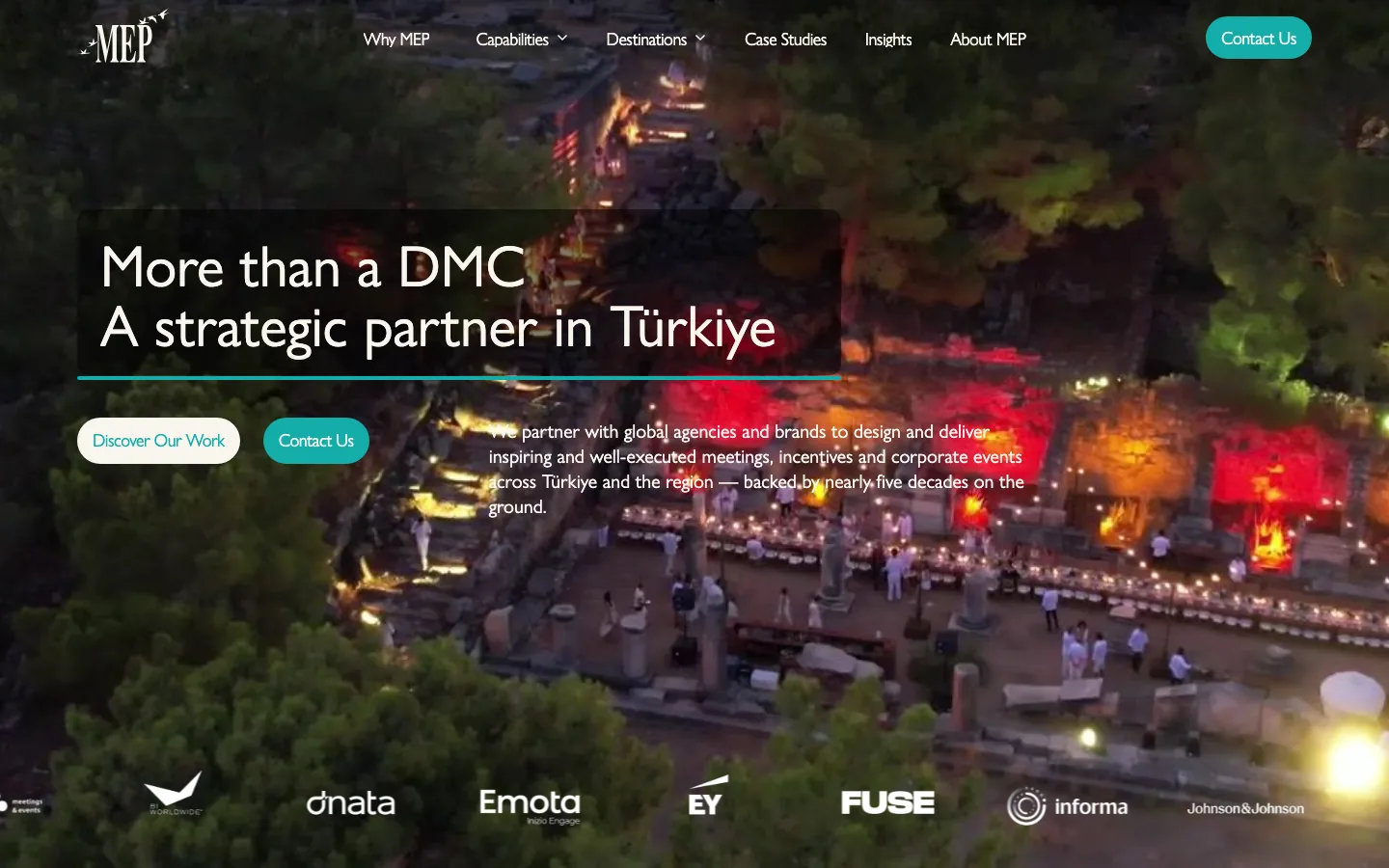
A premium corporate site built for one of Türkiye's leading DMCs. The project page covers the UX/UI architecture, the motion layer built with GSAP and the section "Safe platform migration with zero loss". For a detailed account you can look at the MEP premium Webflow case study page.
The scope we delivered: a template-free interface architecture, splitting the corporate content structure into collections, building the motion layer within a performance budget, and moving from the existing platform to Webflow. The part of the project that took the most effort was not the design, but mapping the old address structure onto the new information architecture.
Modaltrans: SaaS-focused corporate site
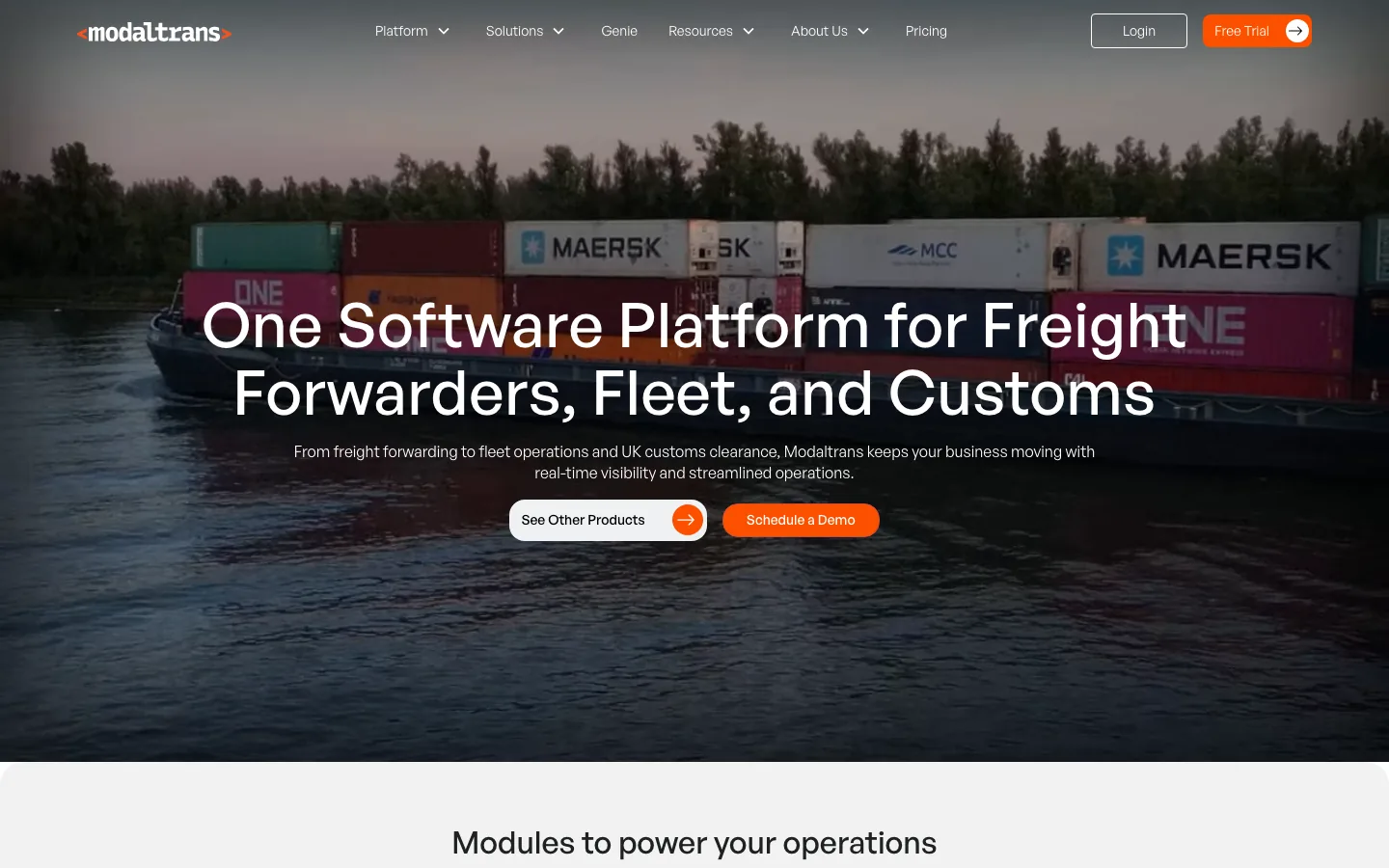
A corporate site weighted towards product explanation, built for a brand positioned on the logistics technology side. The scope we delivered: information architecture, product and solution page templates, CMS collections and the post-launch content flow. The project itself sits on the Modaltrans SaaS Webflow site page.
Our other live Webflow projects
The work we have published is listed by name on our Webflow partner profile 2 ; among them are a modern façade and construction site and a Webflow redesign done for a public relations agency. You can see this list on Webflow's own page; that is, verification of the portfolio does not depend on our word.
This is also what we accept as proof when references are asked for: a live address. A site that is live shows its design, its speed, its content structure and its mobile behaviour all at once; a presentation file shows none of these. Ask the same of us.
When looking at a portfolio, go down not to a single page but to the site's second and third level: a blog entry, a product detail, a form screen. The showcase page is good at every agency; the quality of the build is visible in the depths. Fill in and submit a form on mobile and look at whether the screen that comes back has been designed as well.
What we deliver in every project is the same three items: the design system, the content structure and an admin screen that can be handed over. The third is the item most often skipped; the site turns out beautiful but nobody can update the content. Our criterion is that after we deliver the project your team can publish a page without asking us.
Problems we solve
Your website is your first point of contact with potential customers in the digital world. Its design and user experience account for 95% of the first impression your brand makes.At Roicool, we don't leave this first impression to chance. We design Webflow sites that are not just aesthetic, but conversion-focused and add direct value to your business. We see Webflow as a strategic advantage , not just a tool. This platform gives us the freedom to create pixel-perfect designs that reflect your corporate identity, while fundamentally solving the speed, security, and scalability issues that your competitors (on WordPress, etc.) struggle with. With years of experience, we know all the technical elements to integrate this powerful infrastructure with your sales and customer acquisition goals.
Increase your conversion rate with page structures designed specifically for your audience.
Create a sense of trust and professionalism with custom design for your brand.
Deliver a website experience that aligns with your marketing processes.
Webflow is not right for every project: when we say no
Webflow is a niche platform. In W3Techs' August 2026 measurement, 0.8% of all websites use Webflow; its CMS market share is 1.2% 12 . In the same measurement WordPress is used on 40.8% of sites, that is, with a CMS market share of 59.0% 12 .
The distribution of the CMS market is as follows: WordPress 59.0%, Shopify 7.7%, Wix 6.1%, Squarespace 3.5%, Joomla 1.7%, Tilda 1.2% and Webflow 1.2% 12 . Those outside the seven named systems make up 19.6% of the market 12 . This table does not show that Webflow is bad, it shows that its ecosystem is small; finding people and handing work over is done from a narrower pool than with WordPress.
A small ecosystem is not a flaw in itself; but it increases handover risk. The question to ask is this: who will manage this site in two years, and is that person easy to find? If the answer is uncertain, the decision about the ground has to be discussed from the start.
There is a practical way to measure handover risk: before you take delivery of the project, have someone from your own team publish a new page on a finished Webflow site. If they cannot do it, the problem is not in the platform, it is in the build. Do the same test for the change-of-agency scenario as well: who will take over the files, the accounts and the publishing rights, and is that name clear as of today?
- Heavy multilingual publishing: many languages, a translation workflow and editor roles.
- The team having a deep dependency on WordPress or another stack.
- A requirement for a dedicated server, data residency or strict regulation.
- Product sites that the software team wants to develop within its own framework.
In these five situations, instead of forcing Webflow we name the right ground; not taking the job is cheaper than building a site that will be moved in two years. We make the decision together at the start of the project, we leave the reasoning in writing, and if the ground is not Webflow we write that at the proposal stage.